I still have moments when I stop and look at something I've built with my AI workers over the past eight months and think: how is this even possible?
A few years ago, some of these things would have required a developer, a hefty budget, and months of back and forth. Now I can describe what I need, let my little fleet of robots work on it, and have something running before I've finished my coffee.
It's genuinely exciting.
It's also becoming a little exhausting.
Every time I open Instagram, there's another free guide, skill, or tool promising to turn Claude into a video editor, give you 450 prompts for graphic transitions, or hand you an entire fleet of robots that supposedly replaces 50 people on your team.
Comment a word → Download the skill → Install the code → Build another thing.
And I know why it works, because I've been doing exactly the same thing.
1/ It's like The Matrix

The craziest examples are people sharing the open-source code for apps they've built. You download the code, give it to your robot, tell it to bring the app to life, and it does.
And the strange thing is, most of these things actually work. For free, almost instantly.
At one point, I got the same feeling I had ten years ago, when free PDF guides and video series were everywhere.
Remember the scene in The Matrix where Neo sits in the chair, Tank loads the programs into his head, and he opens his eyes and says, "I know kung fu"?
That's what we're doing with our robots today.
Except instead of learning kung fu, we're building apps, automations, video editors, and entire business systems.
And there's a little dopamine hit every time something works. You describe an idea, watch the robot build it, and suddenly you have a new tool.
2/ How much of this do I actually need?
At some point, I started asking myself a different question.
How much of this do I actually need?
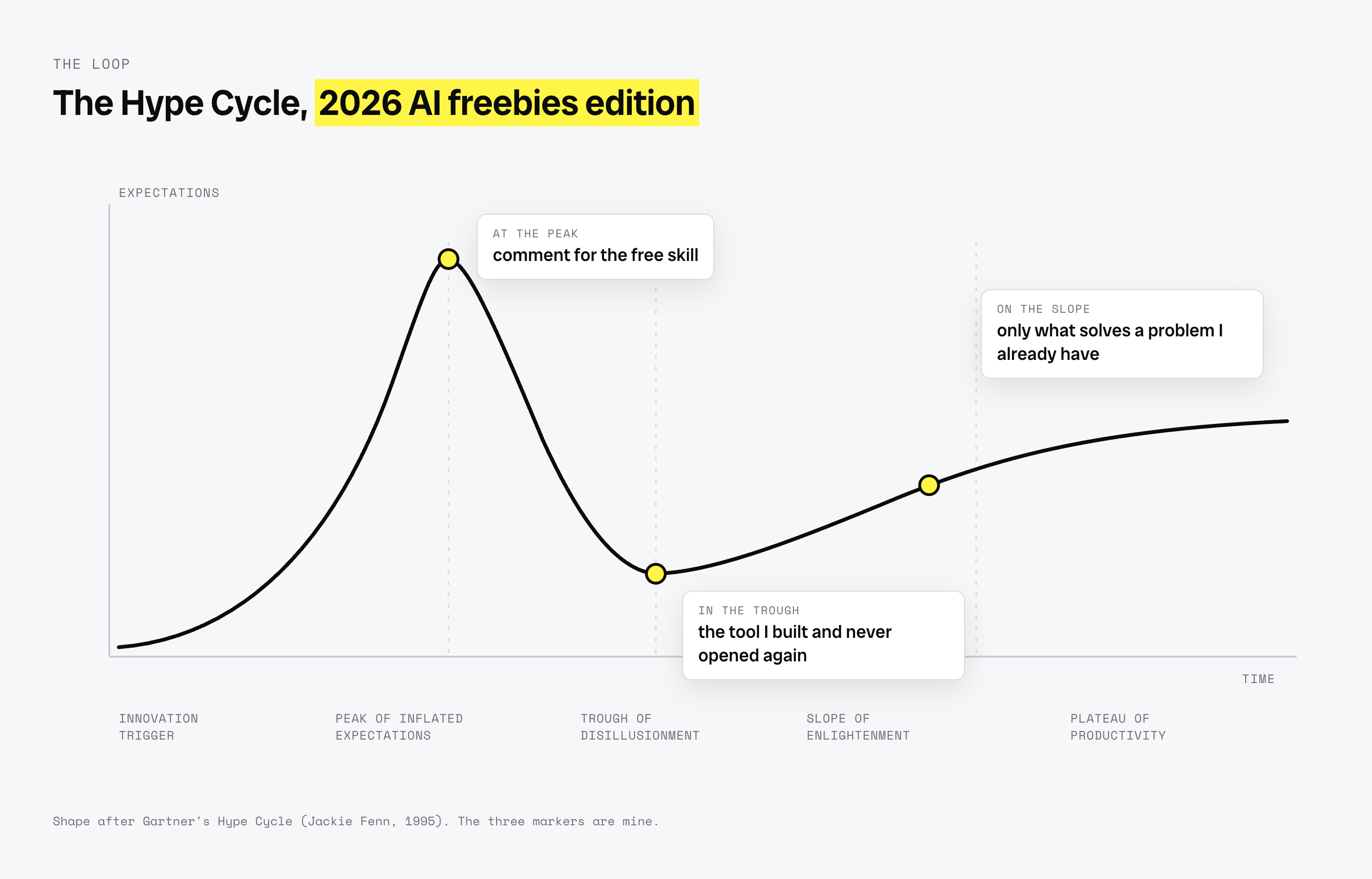
It turns out there's a name for the pattern we're going through.
Gartner has been mapping it since 1995, and called it the Hype Cycle.
Something new appears. Expectations shoot up, everyone gets excited, and we reach the peak of inflated expectations. Then reality catches up, enthusiasm drops, and we enter the trough of disillusionment.
Eventually, we figure out what the technology is actually good for. We get better at using it, and it becomes part of how we work.
But, last week, one of my tools scanned 2,824 websites belonging to experts, coaches, consultants, and course creators.
78% of them said nothing about AI. Not a single line.
Meanwhile, my Instagram feed makes it feel like the entire business world has already moved to a fleet of autonomous robots.
Those two worlds clearly aren't looking at the same thing.
Four months ago, I promised myself I'd slow down and become more selective about what I build. But, I wanted to see how far this could go, and what I could actually build with the tools available today.
So I went deep down the "tool builder" rabbit hole.
3/ 13 tools you should (not) build
There's one lesson I've shared a few times already, and this year made me believe it even more:
Just because you can build it doesn't mean you should.
Over the past two months, I've only started building something when it solves a problem I already have, helps someone on my team, or replaces a subscription or service I'm paying for.
That includes things like Loom, ManyChat, a captions app, a scheduler like Later or Buffer, an ads freelancer, or a combination of Apollo, Clay, and a researcher.
Some of these tools have become part of my daily work. Others taught me something and then quietly disappeared.
And I want to share both with you.
A) The failures
Let's start with the two that didn't make it.
FlowOne
A Python engine that took one Substack letter and turned it into ten or more posts for different platforms.
I used it for a while, but it became outdated within months. Claude Code and ChatGPT can now do essentially the same thing from a simple paste following a skill. There was no reason to maintain a separate tool.
FlowSignal
My personal outreach CRM. Pipeline, follow-ups, momentum, goals, the whole thing.
I built it, used it for a while, and eventually stopped opening it.
The problem wasn't the software. I never developed the habit of using it consistently. I might try a different approach at some point, but I'm not going to keep building around a workflow I don't actually follow.
That's an important distinction.
Sometimes the problem you're trying to solve isn't a software problem at all.
B) The regular tools
These are the smaller tools that have found a place in my actual workflow.
FlowCast (Loom replacement on steroids)
I click one button in Chrome and record my screen and face.
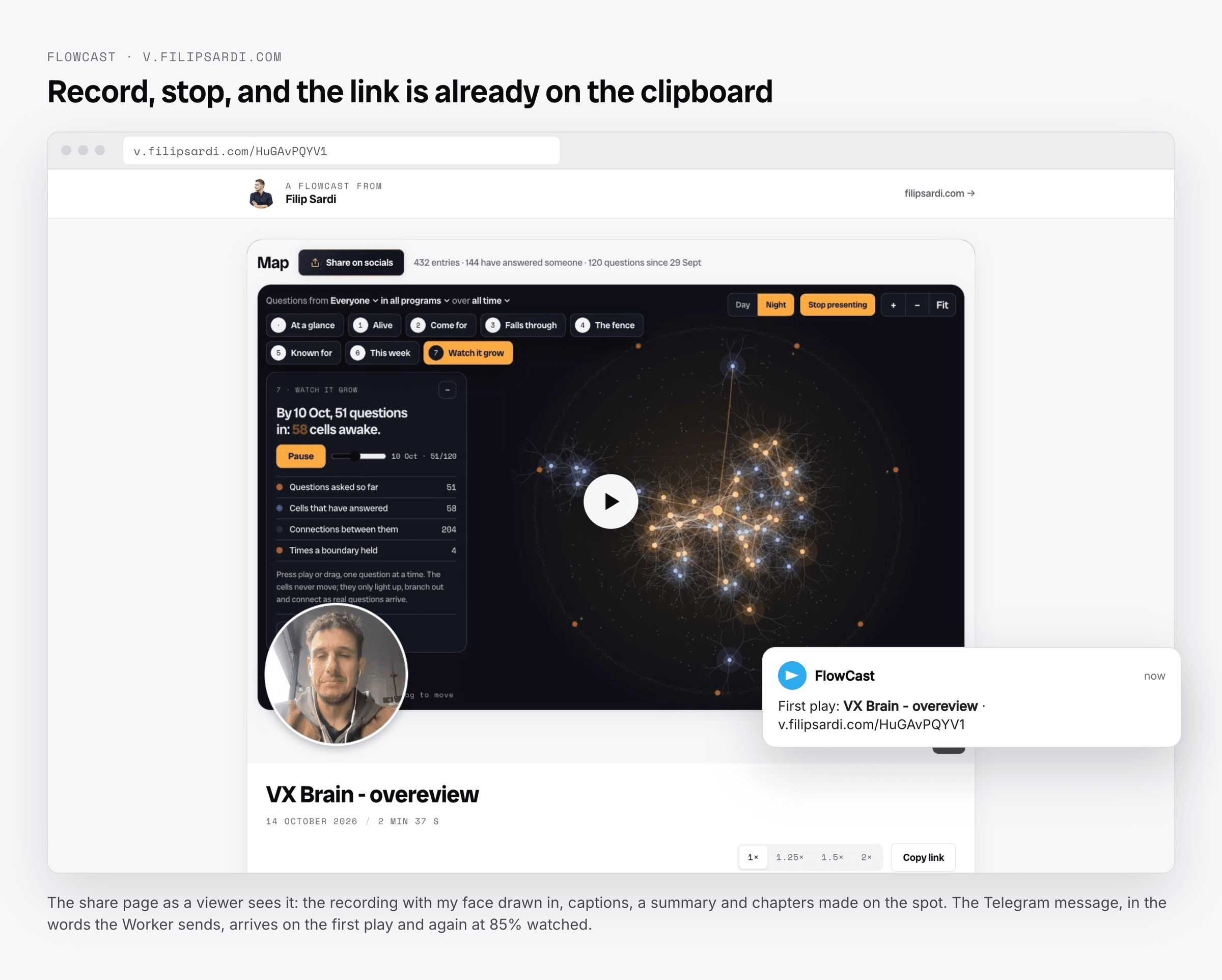
When I stop recording, the link is already on my clipboard. The page gets captions, a summary, and chapters generated on the spot. There's also a note with one button underneath the video.
I get a Telegram notification when someone presses play, and another when they've watched 85%.
My first words after the first recording were: "Wow, it works."
Media Catalogue
I point it at a folder of footage, and it indexes every file.
It creates contact sheets, tags and scores each shot, cuts muted loops for websites and vertical windows for Reels, and writes an index for every folder.
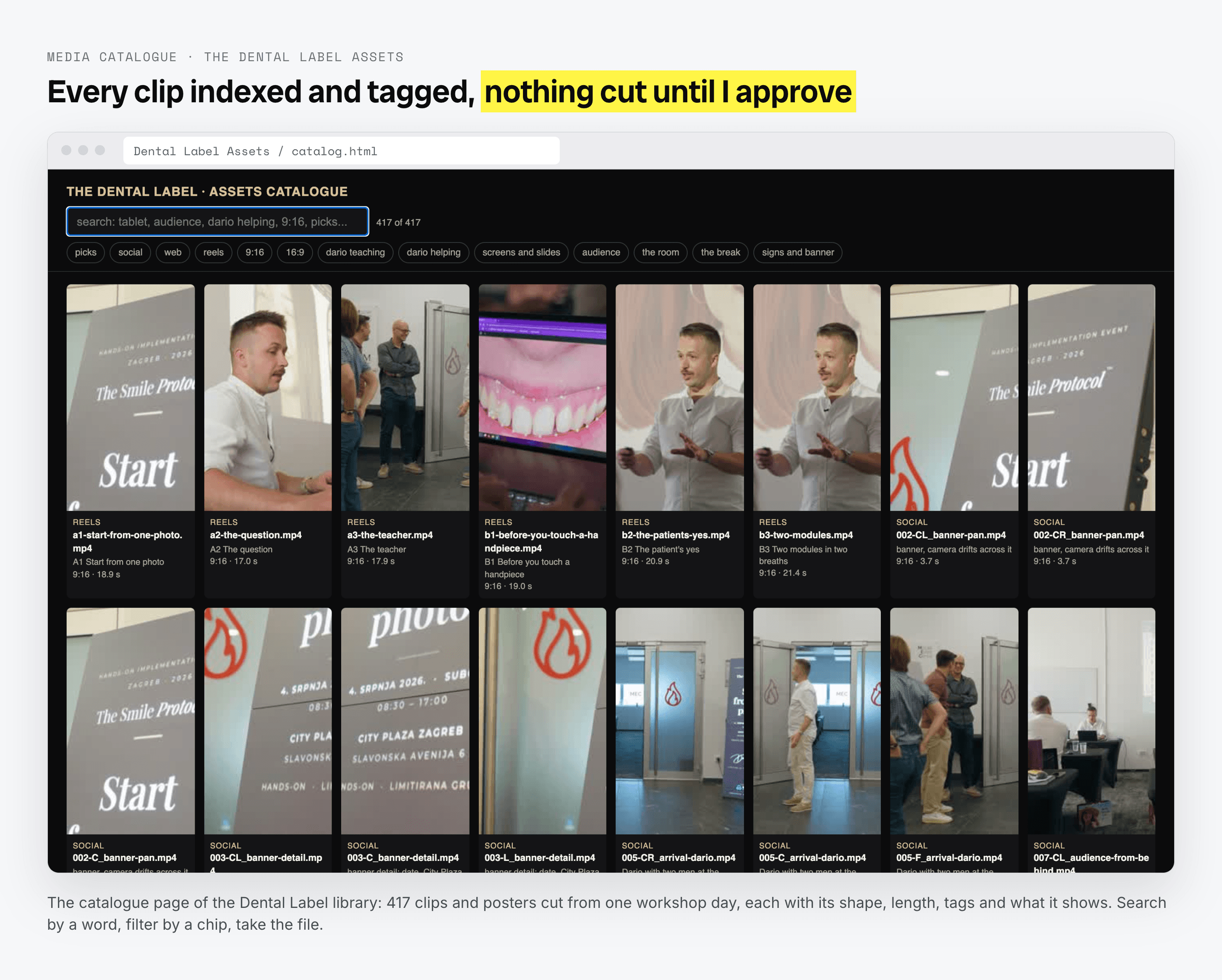
It catalogued 816 files for The Dental Label. Then it went through 821 videos from my own Downloads folder and suggested 147 clips for my b-roll library.
Nothing gets cut until I approve the picks.
Comment to DM (ManyChat replacement)
Someone comments a keyword on my post, receives a DM with a button, taps it, gets the link, and their email lands in MailerLite together with their Instagram handle.
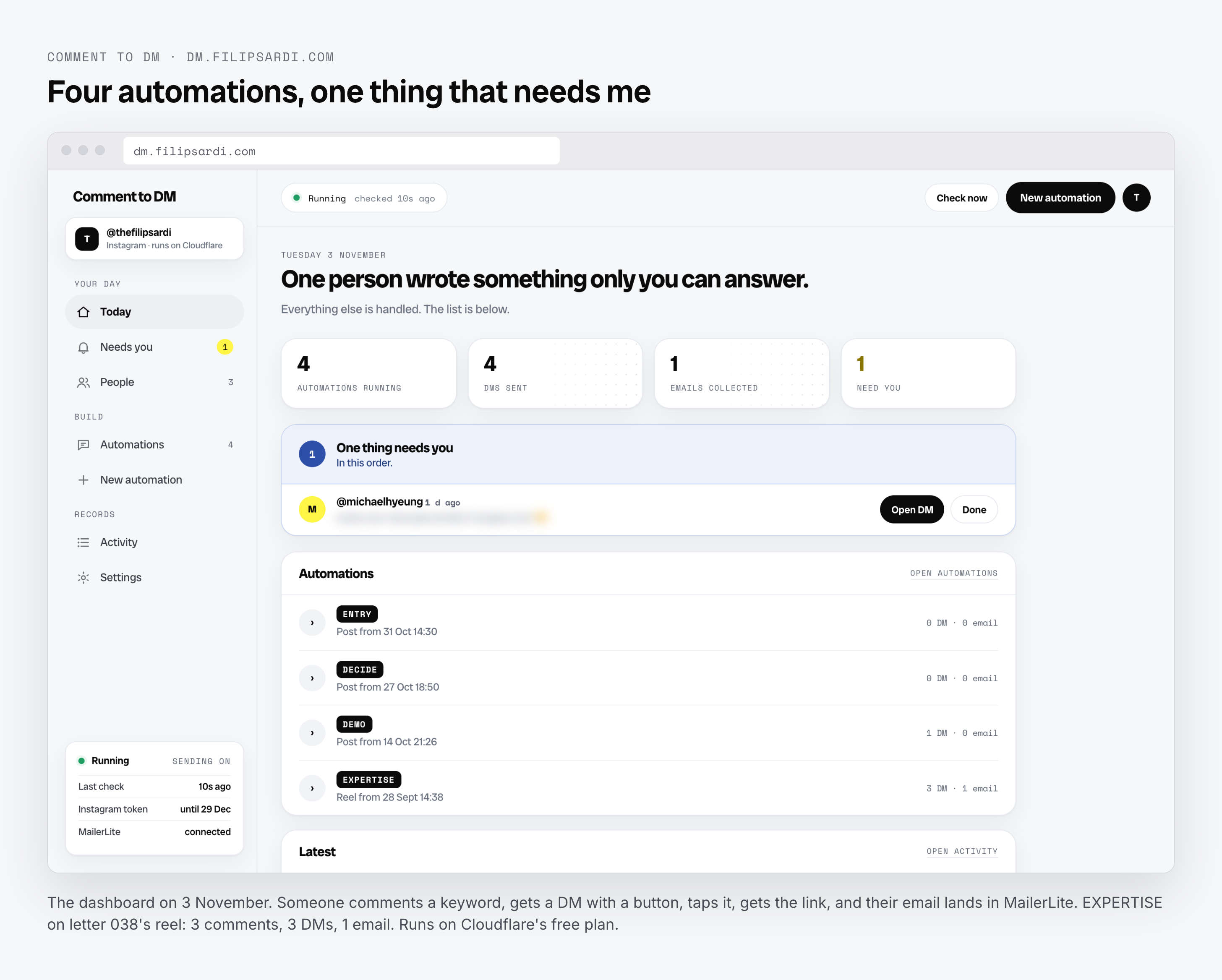
The whole thing runs on Cloudflare's 5USD/month paid plan (plus 3 more apps are sharing the five dollar cost).
Claude Video Editor
This one saves me a lot of time.
I film, drop the clips into a folder, and tell Claude to edit.
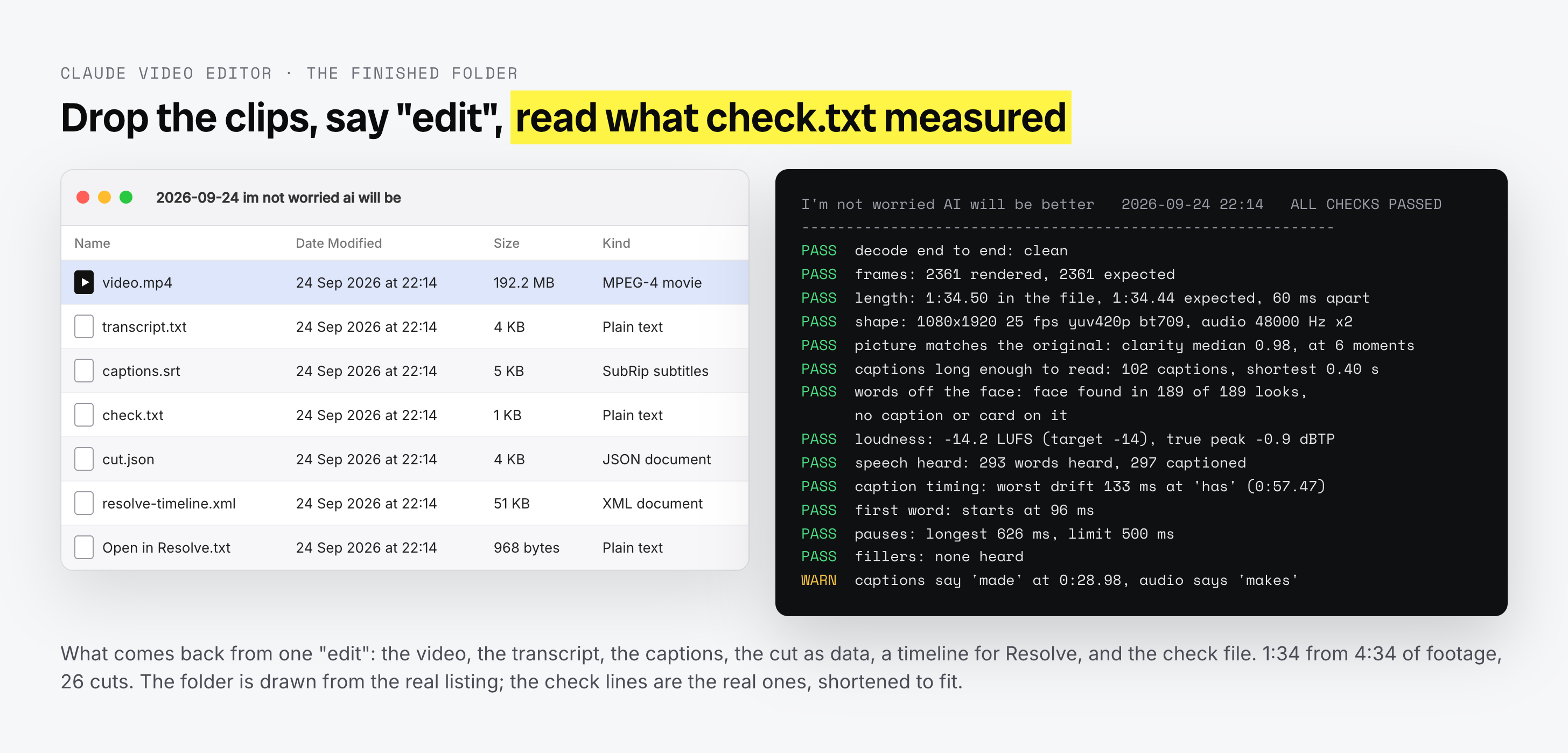
It transcribes the footage (only the audio leaves my Mac), picks the best take of every line, cuts the video, levels the sound, tracks my face so captions don't cover it, adds captions in my font, puts in the title card and grain, and hands back the finished video.
I also get the transcript, captions, and a check file.
The first video was 1:34 long, cut from 4:34 of footage, with 26 cuts.
I read the transcript, watch the video once, and hit post.
Claude IG Post Manager
I can now create and publish Instagram carousels without going through the usual design and publishing routine.
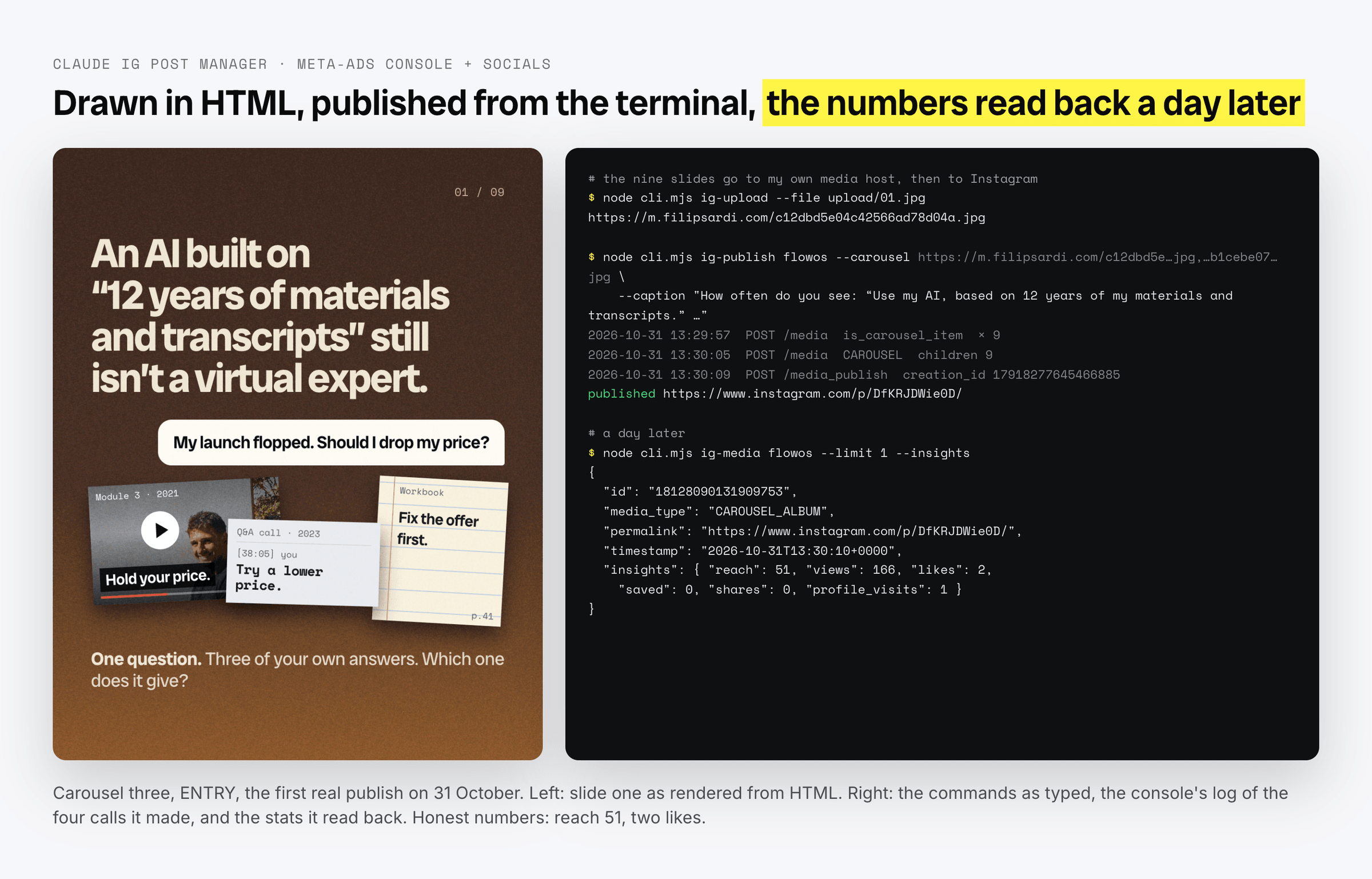
The carousels are built in HTML, rendered into 4:5 stills or a short video cover, uploaded to my own media host, and published to Instagram from the terminal.
The tool also reads the stats back for each post a day later.
Claude Meta Ads Manager
This one connects our advertising activity with what actually happens in the business.
It reads every campaign, ad set, and ad through Meta's API, joins the spend with real sales in our platform, and can write new ads.
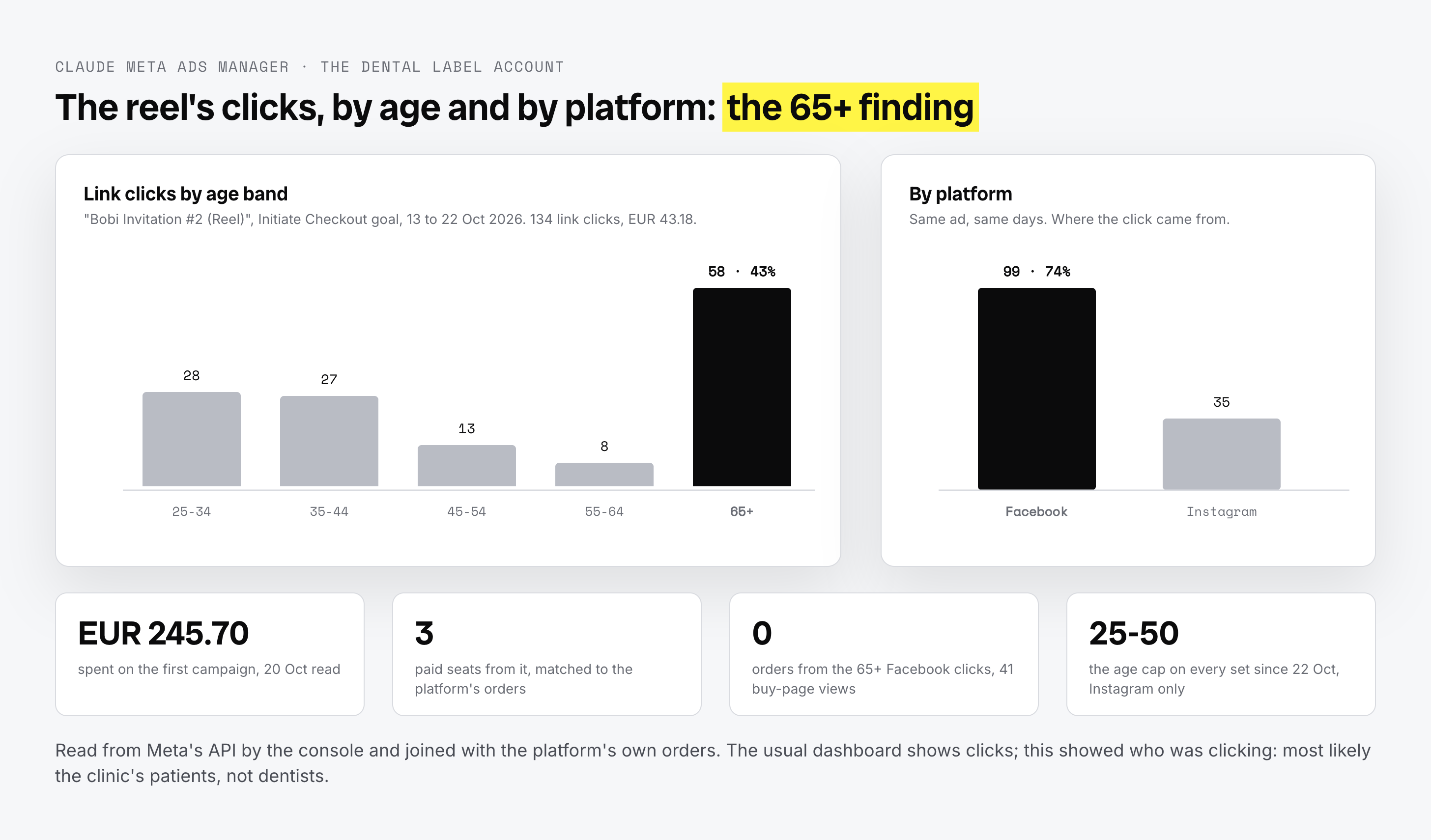
All new ads are paused by default, with a daily cap and weekly ceiling that I set.
Its first analysis for ads manger account showed €245.70 in spend for three paid seats.
It also found something I wouldn't have noticed by looking at the usual campaign dashboard: 43% of the warm Reel's clicks came from people over 65 on Facebook. Most likely patients of the clinic, not the people we were trying to reach.
That's the kind of information I want from a tool. Not another dashboard to look at, but a better understanding of what's happening in the business.
FlowOut (aka cold outreach)
Research and client dossiers for my personal outreach.
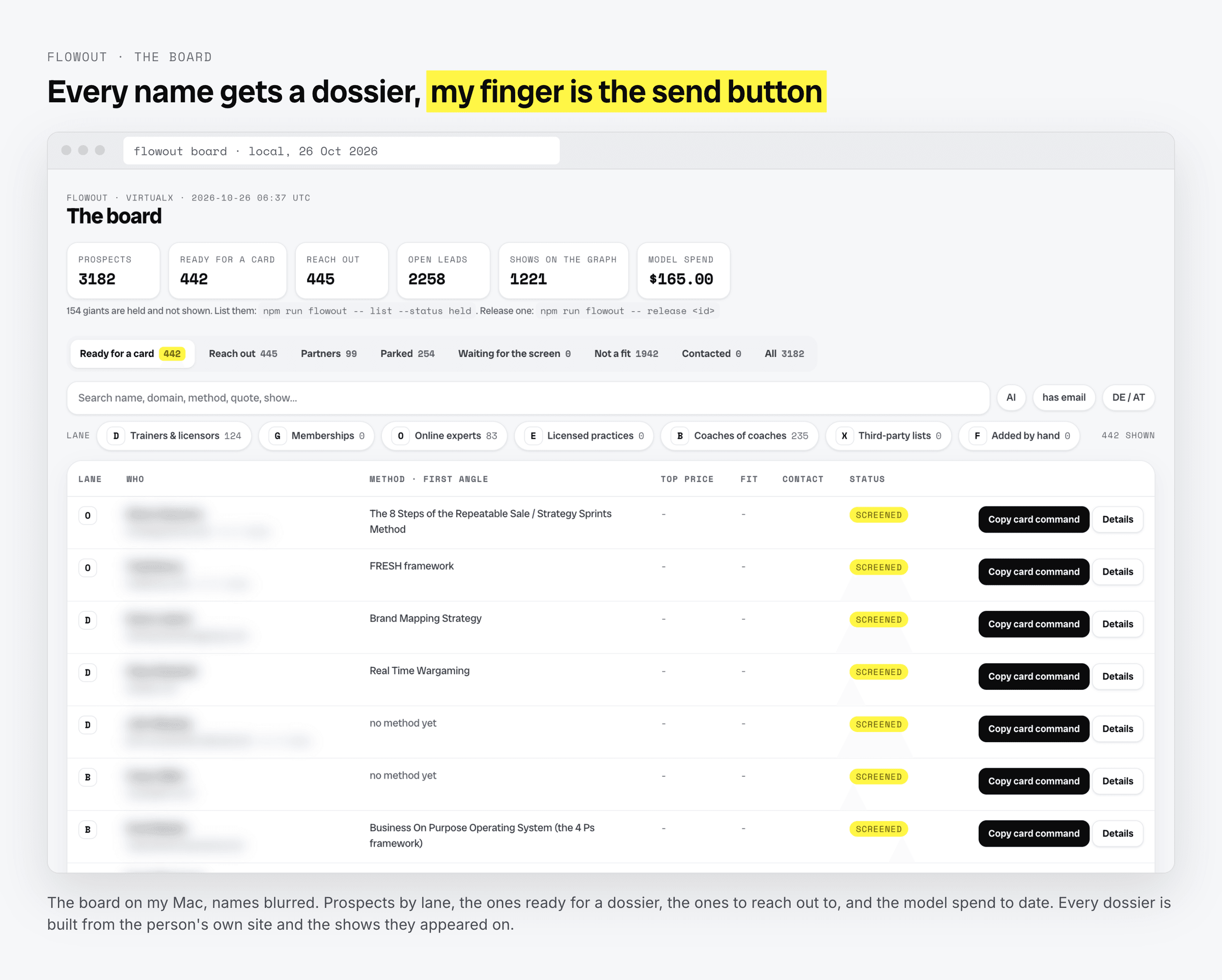
Three feeds build the list: podcast guests, searches, and links I paste in.
Each person gets a dossier built from their own website and appearances. The tool scores them for fit, and drafts emails directly into email provider.
I review, make changes, and send them myself.
So far, it's produced 781 dossiers for $160.70, including the research behind the 2,824-site scan I mentioned earlier (also, nerdy friend told me yesterday there are tools like Treg that can do this type of research way cheaper. I'm testing it next week).
The important part here is that I'm not trying to automate the relationship. I'm trying to spend less time gathering information before deciding whether a conversation makes sense.
Substack to Website Publish
Every fresh letter is pulled from Substack, including its images, rebuilt as a page on filipsardi.com, given schema markup and Open Graph tags, and accompanied by a plain-text version for AI crawlers.
It also gets added to the letters index.
SEO and AEO ready, with a deployment that takes about 30 seconds.
C) The bigger projects
These aren't little replacements for existing subscriptions. They're products and platforms that solve larger problems.
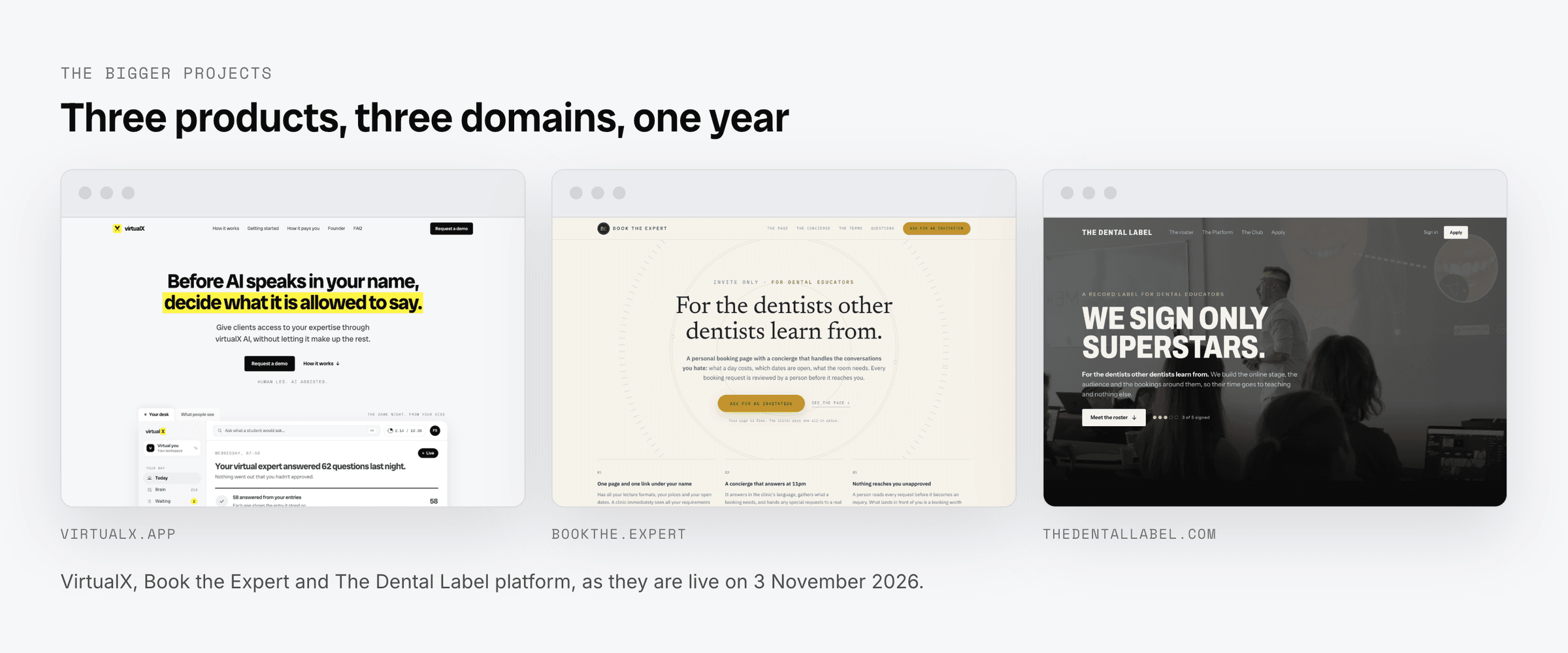
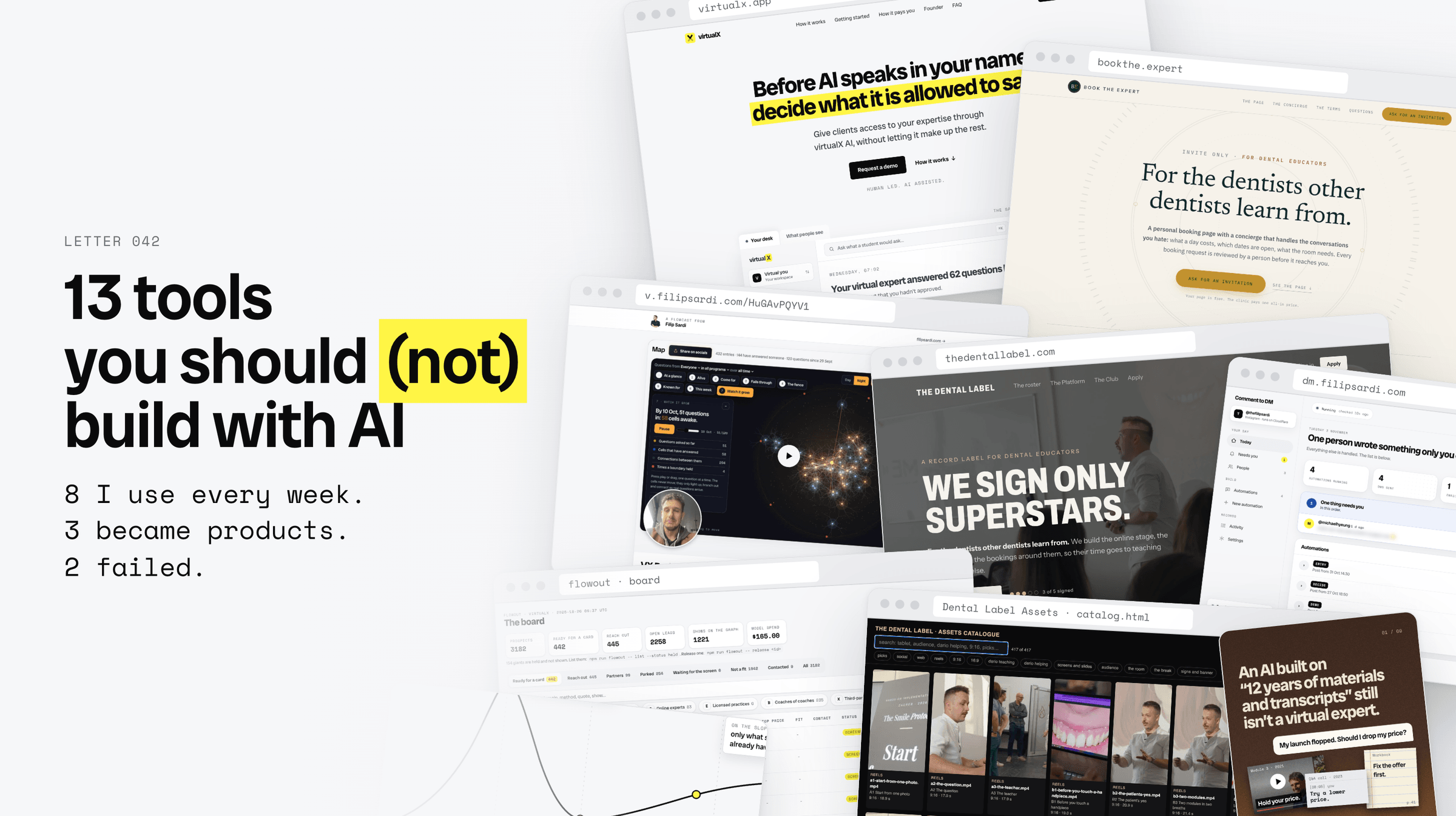
VirtualX - virtualx.app
A virtual expert built from an expert's own material.
It answers from what the expert has written and approved. When it doesn't know, it says so. When a question needs the real expert, it sends it back to them. I've written quite a bit about this in letters 034 to 040, so you can read more about it over there
[040] Peeking inside the AI black box
Book the Expert - bookthe.expert
Public bio pages for dental education experts that replace services like Linktr.ee.
But, with a special caveat - each page has an AI concierge that answers clinic questions using the expert's own information.
It can quote prices when it's allowed to, hold dates, and send anything it isn't sure about back to a human.
I'm particularly proud of this one. It's been quietly taking shape, and I've never properly written about it.
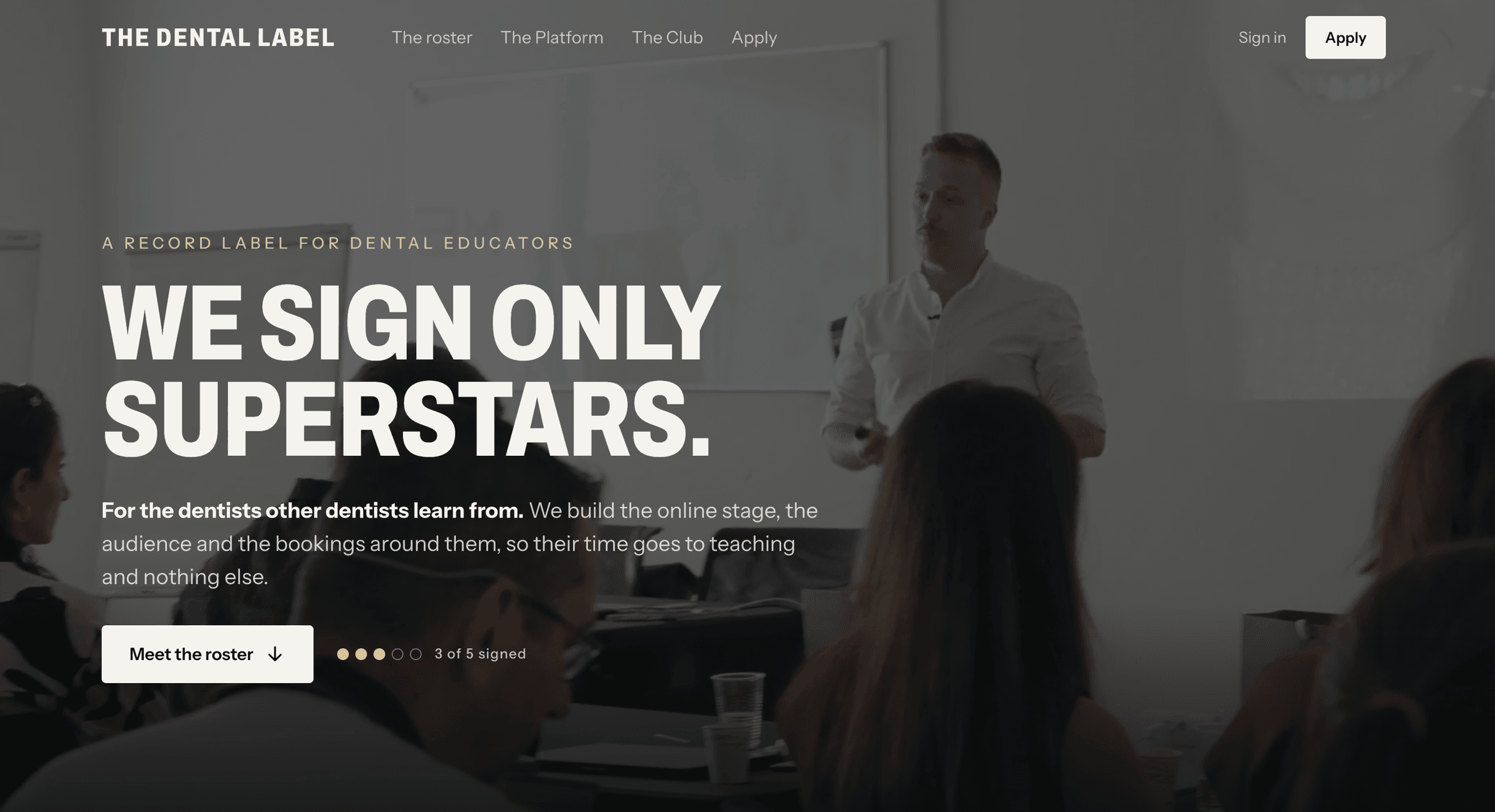
The Dental Label platform - thedentallabel.com
The entire client experience we talked about in the last letter.
Programs, students, payments, searchable recordings, the Club, the expert's home, and the back office.
If you missed it, letter 041 takes you behind the scenes.
4/ Free to download doesn't mean ready to run (or sell to others)
It's easier than ever to download a skill, grab some open-source code, and ask an AI to turn it into something useful.
But getting something to run on your computer is very different from having a tool you can rely on in your business.
The difference becomes even bigger when you want to build an app or SaaS that's hosted online rather than running locally.
I've learned that sometimes the most valuable person you can bring into a project isn't someone who helps you build more.
It's someone who helps you decide what not to build.
The expensive part isn't always the development, but spending weeks creating something that solves the wrong problem, duplicates a tool you already have, or adds another workflow nobody on your team will use.
That's the part I'd like to help you avoid.
I'm opening up a few paid advisory engagements for business owners who have ideas for AI tools, internal apps, or automations they'd like to introduce into their business.
The starting point isn't a development brief. It's a conversation about how your business works today.
We'll look at the tools you're considering, the problem you're trying to solve, and what a sensible solution would actually involve.
I'll help you work out:
- Which ideas are worth pursuing and which ones aren't.
- Whether you should build something, adapt an existing tool, or leave things as they are.
- What the first useful version needs to do, without adding unnecessary complexity.
I can also inspect an existing AI-built tool and help you understand what you're actually dealing with before you start relying on it.
It's hands-on work with someone who has spent the past year building, testing, breaking, and putting these things into real business workflows.
If you have one or more tools in mind, send me a DM with the word BUILD and a short description of what you'd like to create.
I'll take a look and tell you honestly whether I think it's worth building, where I'd start, and whether I can help.
If there's a fit, I'll explain how we can work together and what that would involve.
I'd rather help you make one good decision than sell you a project you don't need.
Talk soon,
-Filip "let's (not) build" Sardi

Frequently Asked Questions
Which 13 tools did Filip build with AI?
Two failures: FlowOne (a letter repurposing engine) and FlowSignal (a personal CRM). Eight regular tools: FlowCast (a Loom replacement), Media Catalogue, Comment to DM (a ManyChat replacement), Claude Video Editor, Claude IG Post Manager, Claude Meta Ads Manager, FlowOut (cold outreach research) and Substack to Website Publish. Three bigger projects: virtualX, Book the Expert and The Dental Label platform.
What is the rule for deciding what to build with AI?
Just because you can build it doesn't mean you should. Filip only starts building something when it solves a problem he already has, helps someone on his team, or replaces a subscription or service he is paying for. Sometimes the problem is not a software problem at all, as FlowSignal showed: the CRM worked, the habit of using it never formed.
What does the Hype Cycle have to do with AI tools?
Gartner has been mapping the pattern since 1995: expectations shoot up to a peak, reality catches up and enthusiasm drops into a trough, then we work out what the technology is actually good for. Filip went through the first two stages at least three times in a year and only recognised the pattern on the third lap. Meanwhile a scan of 2,824 expert websites found 78% say nothing about AI.
Why isn't a free skill or open-source code enough to run a tool in a business?
Getting something to run on your computer is very different from having a tool you can rely on in your business, and the gap grows when the tool is an app or SaaS hosted online rather than running locally. The expensive part is rarely the development; it is weeks spent on something that solves the wrong problem, duplicates a tool you already have, or adds a workflow nobody will use.
What is the advisory engagement at the end of the letter?
Paid, hands-on work for business owners with ideas for AI tools, internal apps or automations. The starting point is a conversation about how the business works today, then which ideas are worth pursuing, whether to build, adapt an existing tool or leave things as they are, and what the first useful version needs to do. Filip can also inspect an existing AI-built tool before you start relying on it.
Client Flow Letter
If this was useful, the next one will be too.
Retention strategy for coaches and founders — every week. No filler.